
Appearance
How to Add Structured Data to Your Shopify Store with SEOWILL
How to Add Structured Data to Your Shopify Store with SEOWILL
1. What is Structured Data?
Structured data helps Google, ChatGPT, Gemini, Perplexity, and other AI search systems understand your store more accurately.
It tells search engines and AI systems:
- Who you are (brand)
- What you sell (products)
- What your page content is about (blogs, FAQs, policies, etc.)
Without structured data, AI systems have to guess this information from text. With structured data, your content becomes easier to understand, verify, and cite.
SEOWILL also connects related entities across your store, performing entity disambiguation and schema aggregation.
For example, if "Author A" appears in multiple articles, SEOWILL aggregates all references so that there is only one canonical entity node for that author. Each article then links to this unique author node via @id.
This approach has several benefits:
- Eliminates redundancy: Reduces AI systems’ overhead from processing duplicate entities
- Creates a clear entity relationship graph: Relationships like Author → Article → Organization become explicit and traversable
- Improves semantic accuracy: AI systems no longer need fuzzy matching to determine entity identity.
2. How to Enable Structured Data
Using SEOWILL structured data is simple:
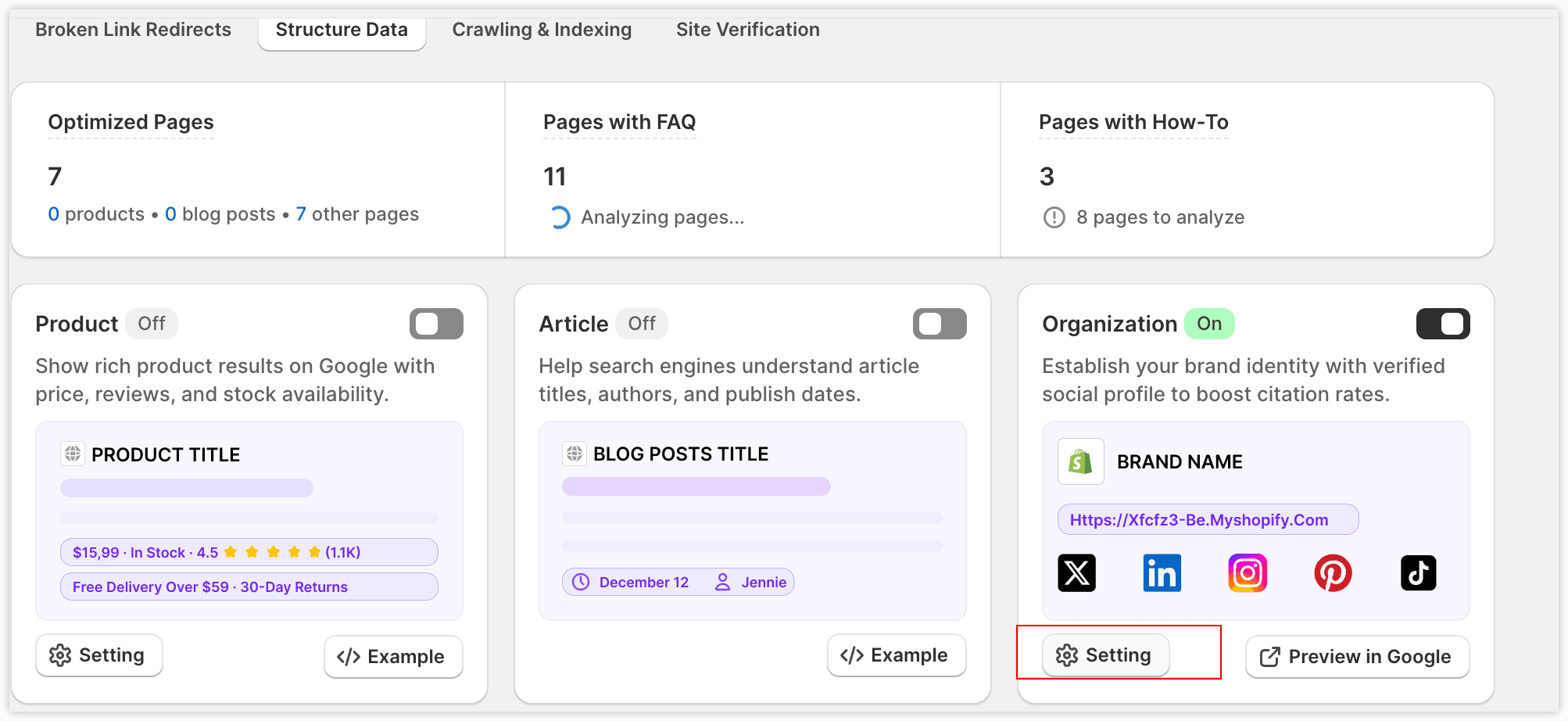
- Go to the Structured Data page.
- Turn on the corresponding structured data toggle.
- Once enabled, SEOWILL automatically adds structured data to relevant pages.
- Before enabling, click Example to see which fields SEOWILL will add.
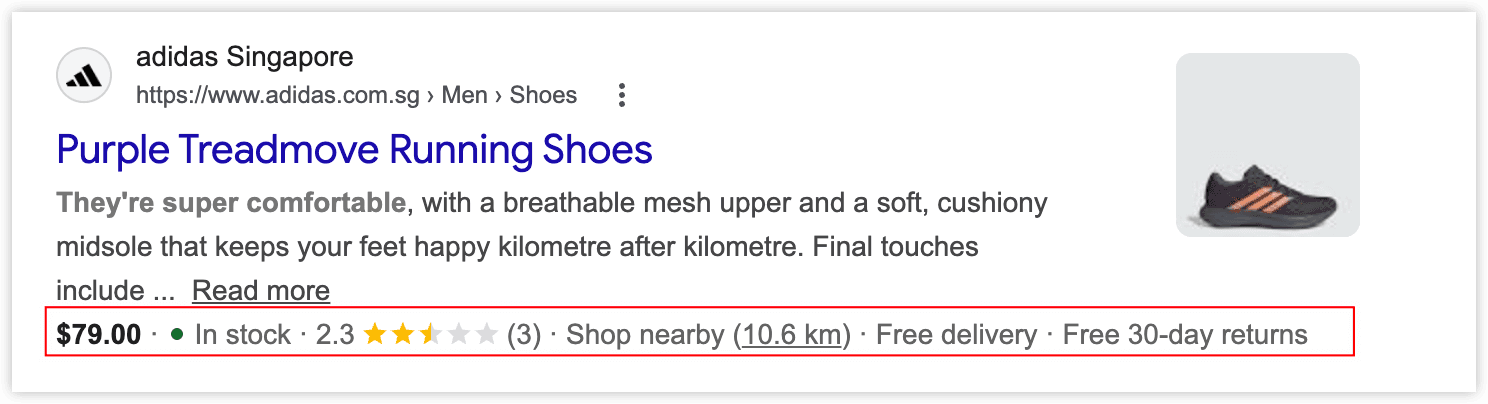
- After enabling, click Preview to view the actual structured data on your page.
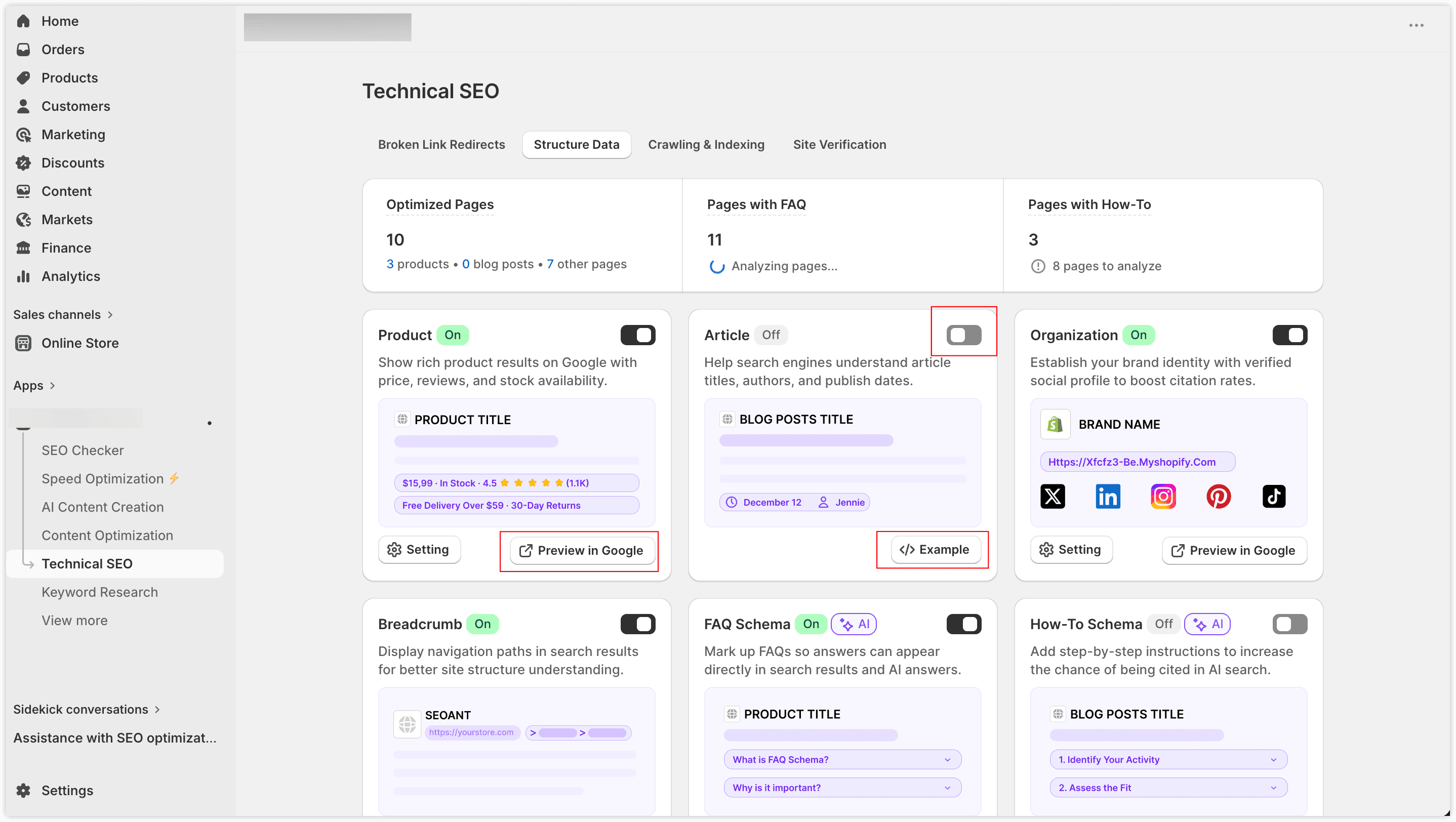
Note: SEOWILL retrieves detailed store, product, and blog information via the Shopify API. Fields that are missing in Shopify will be skipped automatically; no empty fields will be generated.
Tip
Shopify themes or other apps may generate structured data by default. After enabling SEOWILL, we recommend disabling duplicates to avoid conflicts.
3. Structured Data Types Overview
| Page Type | Automatically Added Structured Data | Description |
|---|---|---|
| Homepage | Organization, WebSite | Establishes brand entity, website entity, and homepage hierarchy |
| Product Page | Product / ProductGroup, Review, AggregateRating, Offer, Shipping Details, Merchant Return Policy, Breadcrumb | Products are understood and cited by AI, showing price, inventory, reviews, shipping, and return info; improves conversion |
| Blog Page | Article / BlogPosting, Author, FAQPage, HowTo, Breadcrumb | FAQ/HowTo help AI understand your article content and increase citation likelihood |
| Collection Page | CollectionPage, Breadcrumb, FAQPage, HowTo | FAQ/HowTo added if AI analysis confirms content exists |
| Standard Page | WebPage, Breadcrumb, FAQPage, HowTo | FAQ/HowTo added if AI analysis confirms content exists |
3.1 Product (Product / ProductGroup)
Added only to published product pages.
Distinguishes between single-variant and multi-variant products, automatically describing relationships between variants to help search engines understand specifications, prices, inventory, and options.
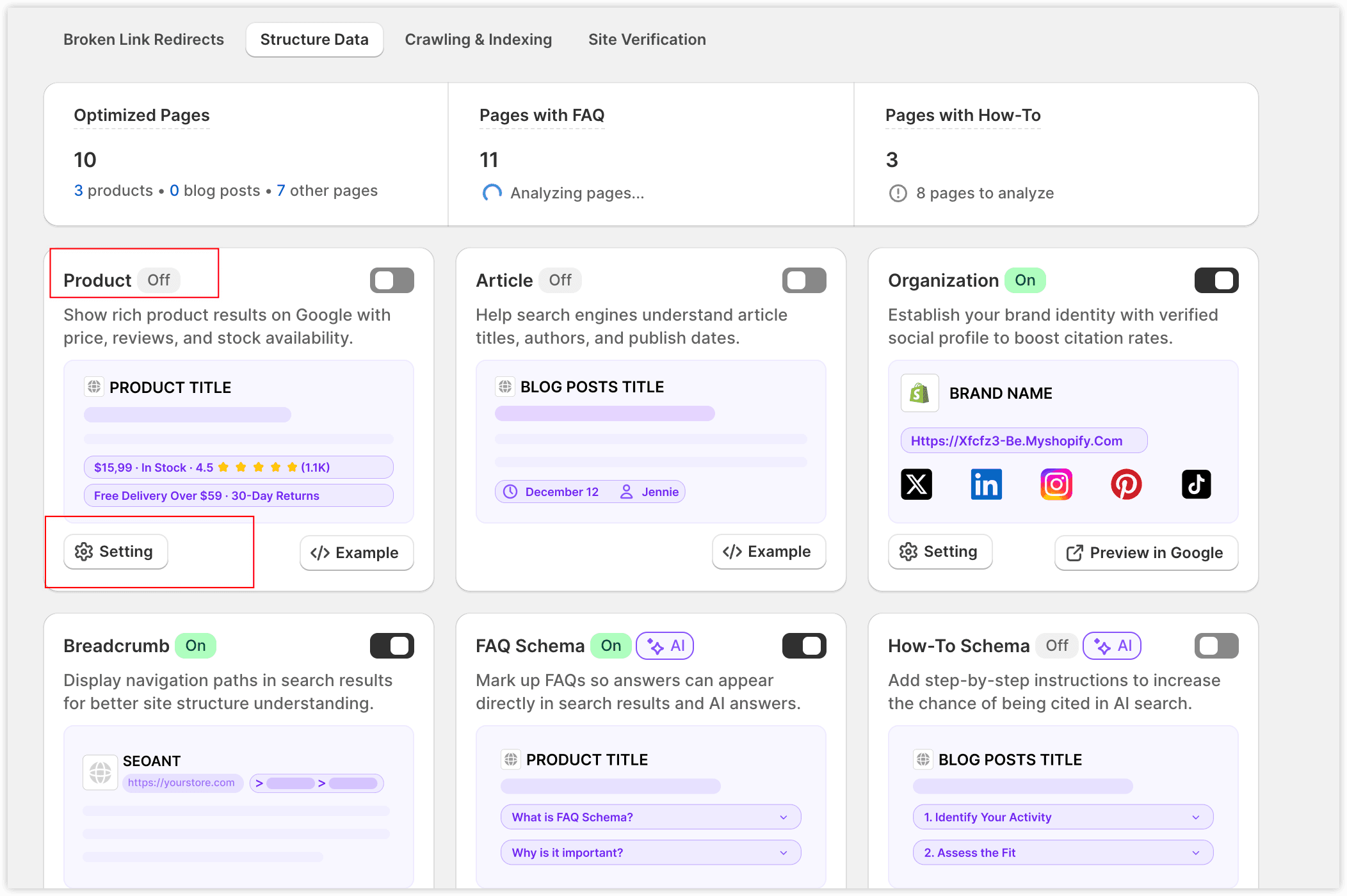
Settings: Click the Settings button on the product structured data card to configure:
Reviews (Review / AggregateRating)
SEOWILL supports multiple review apps. You can choose:
- Auto-select Supported App: SEOWILL uses the first integrated review app it finds.
- Select a Specific Review App: Only data from this app will be used.
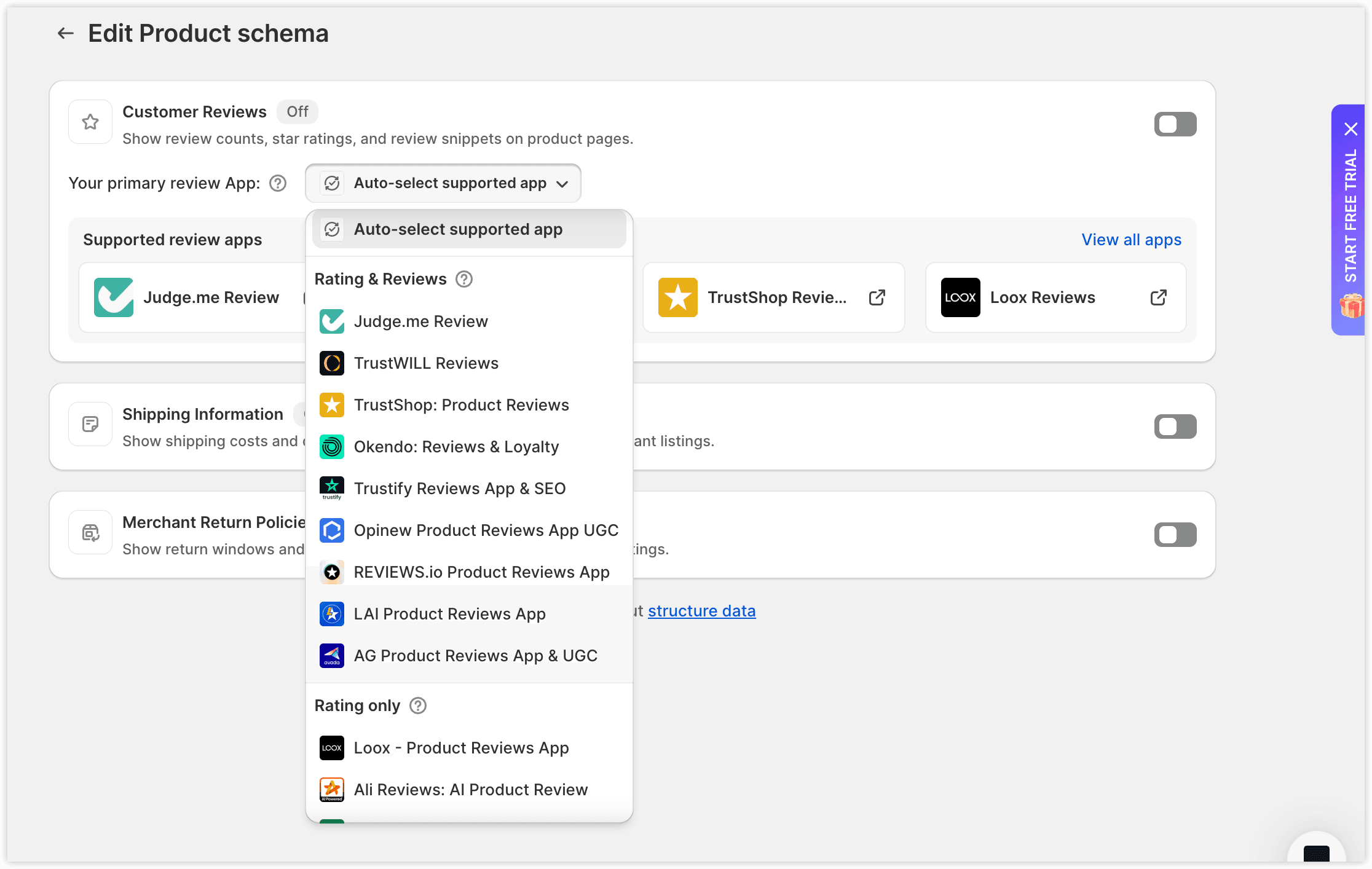
Review App types:
- Rating Only – Only aggregate rating is available.
- Rating & Reviews – Both rating and review content are available.
Remember to update your selection if you switch review apps.
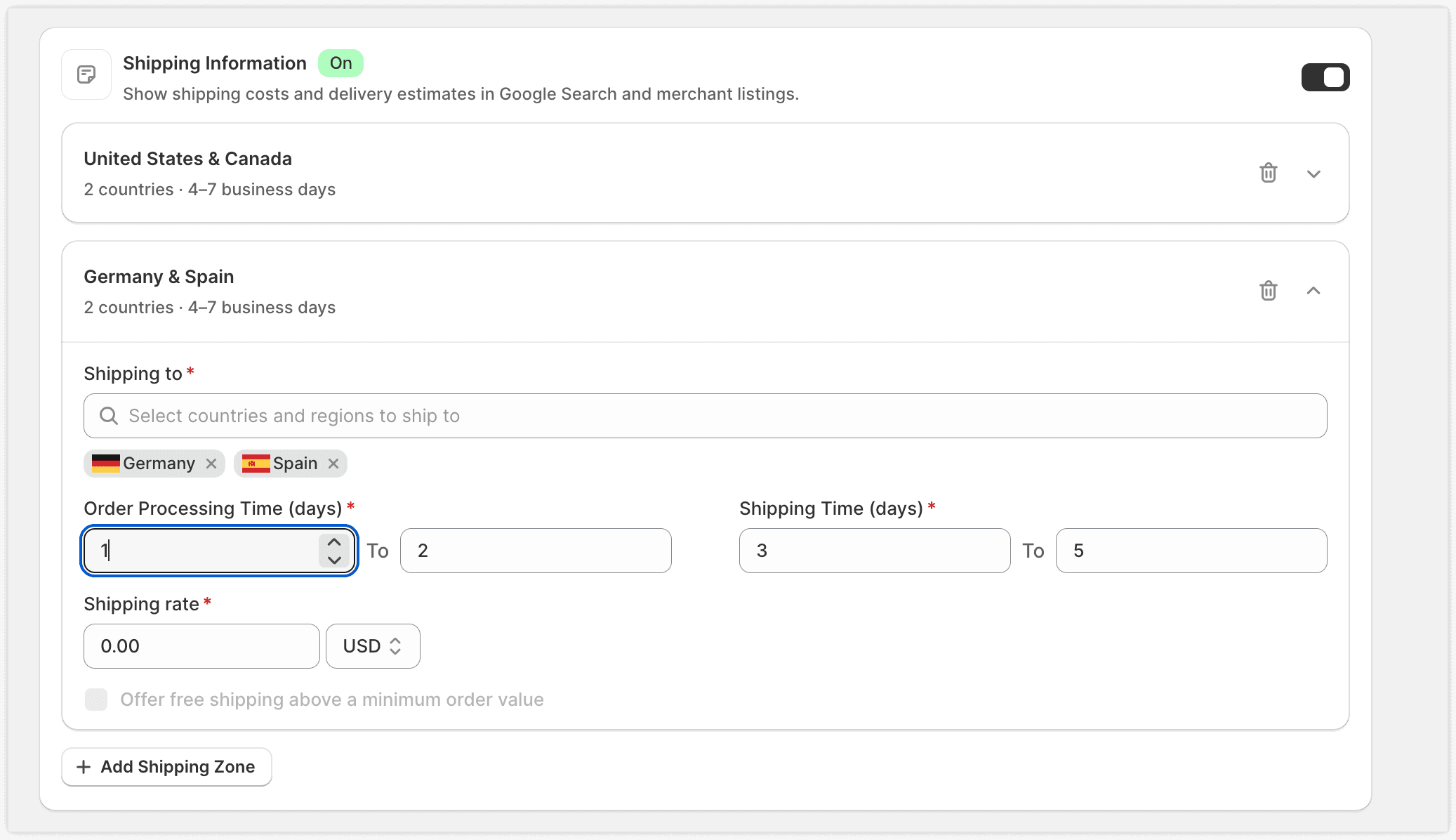
Shipping Details
Adds shipping costs, destinations, and delivery times.
Merchant Return Policy
Adds return window, method, and fees.
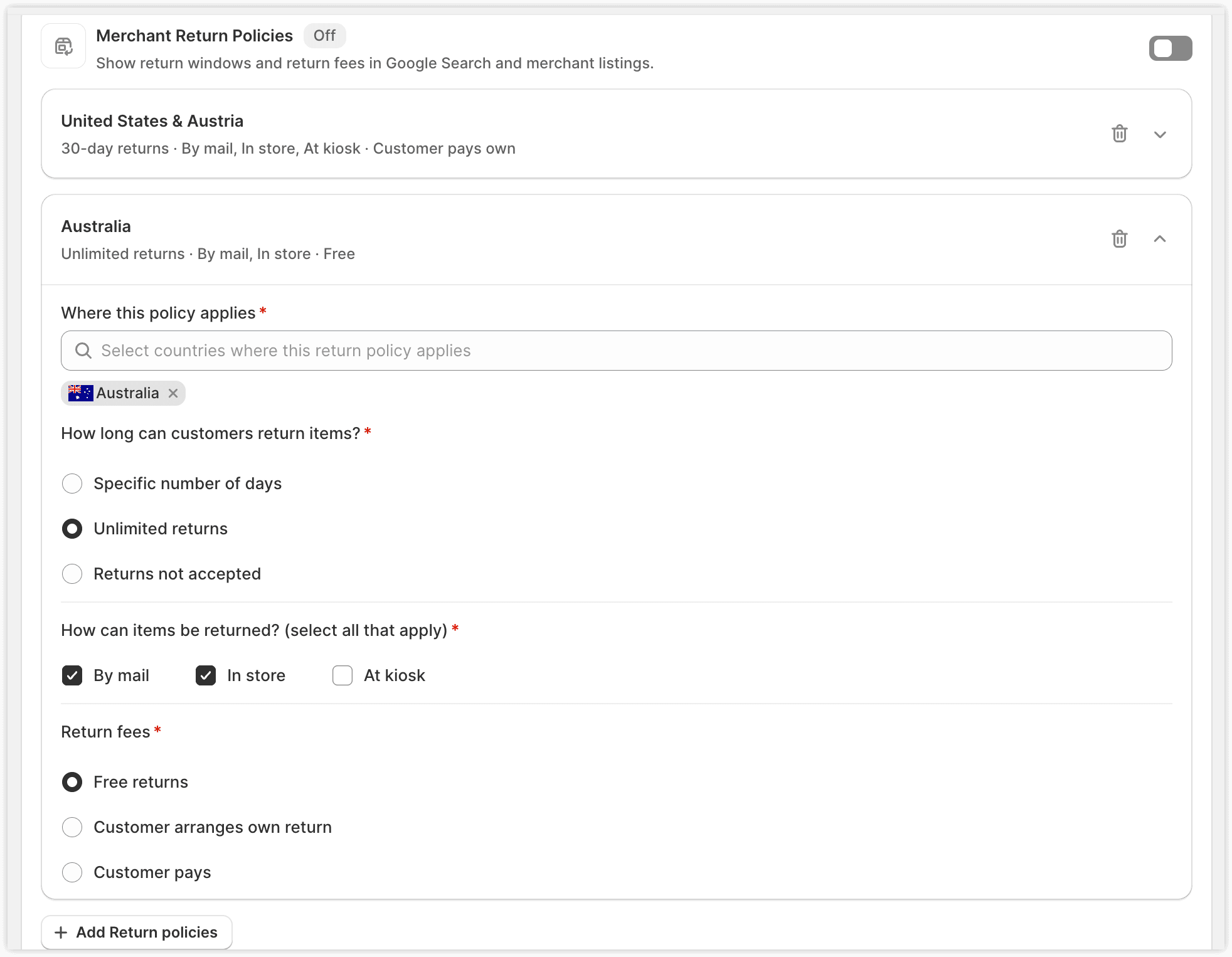
Proper configuration enables Google rich results to display reviews, shipping, and return information, helping increase conversion rates.
3.2 Blog (Article / BlogPosting)
- Added only to published blog pages.
- Automatically retrieves blog information:
- Article title
- Article URL
- Summary or description
- Author information
- Publish and update dates
- Article image
- Click Example for full field details
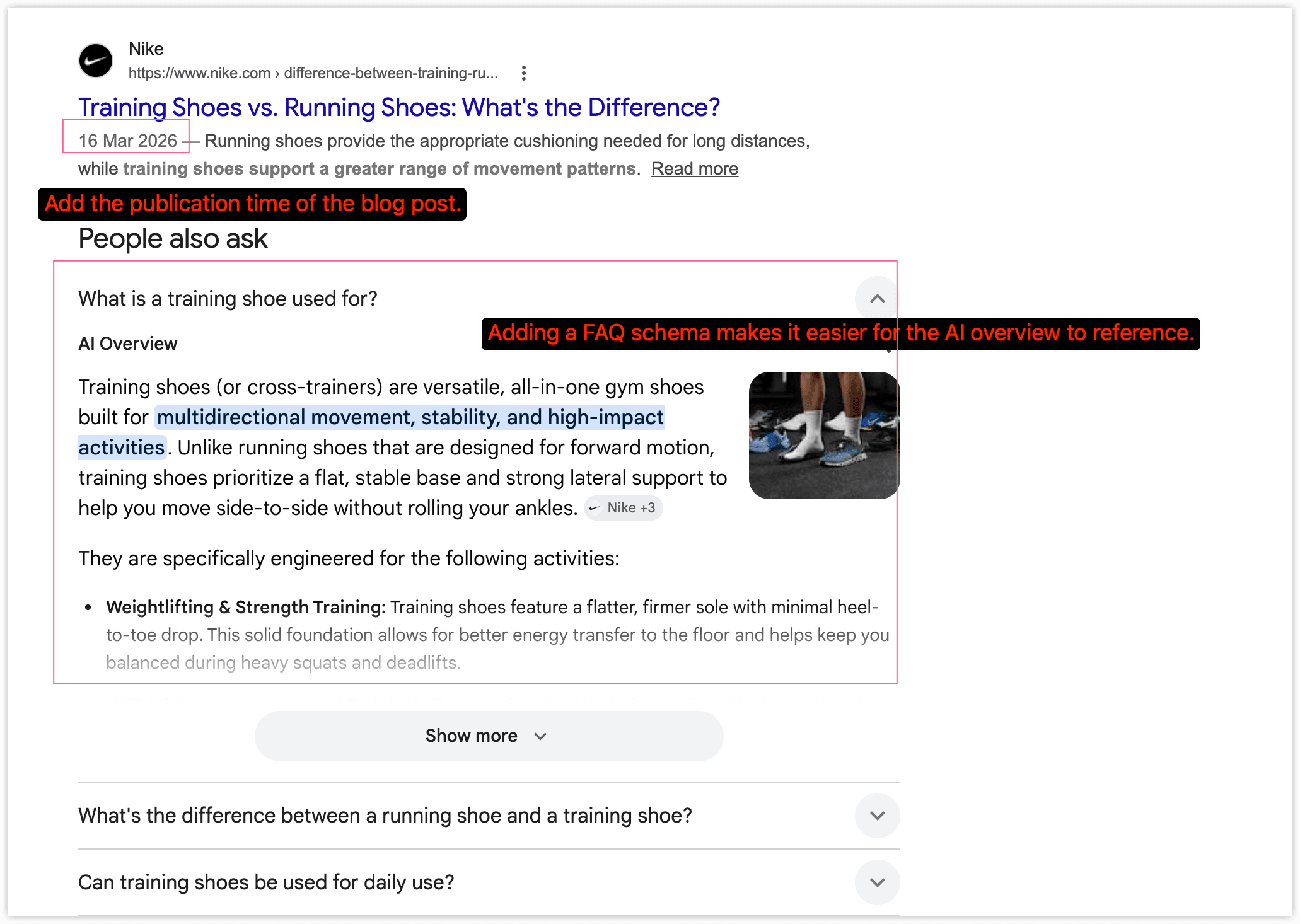
- Blog pages also automatically include FAQ and HowTo structured data(if available) to help AI understand content.
3.3 Organization / Local Business
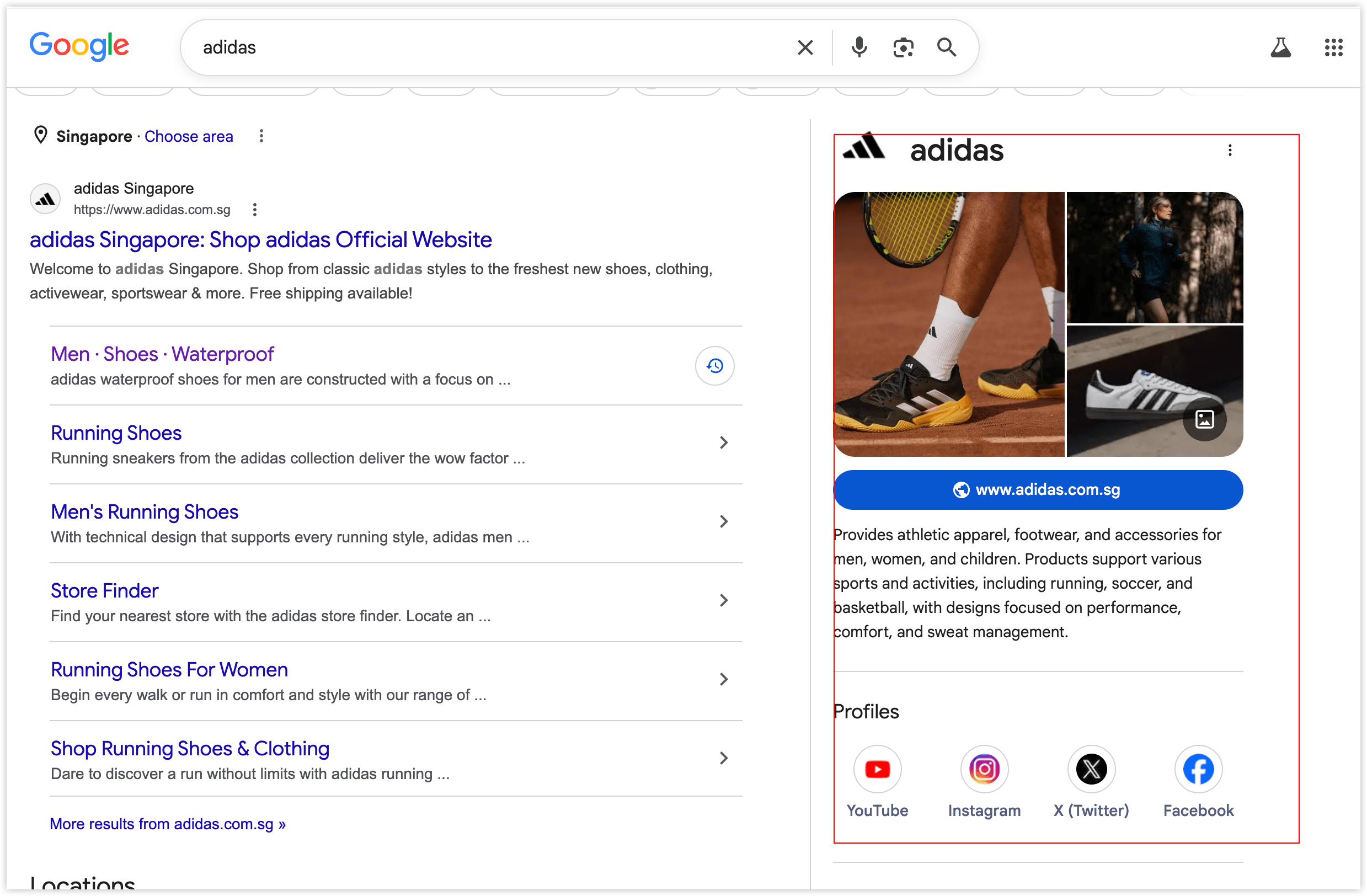
- Organization structured data describes your store brand.
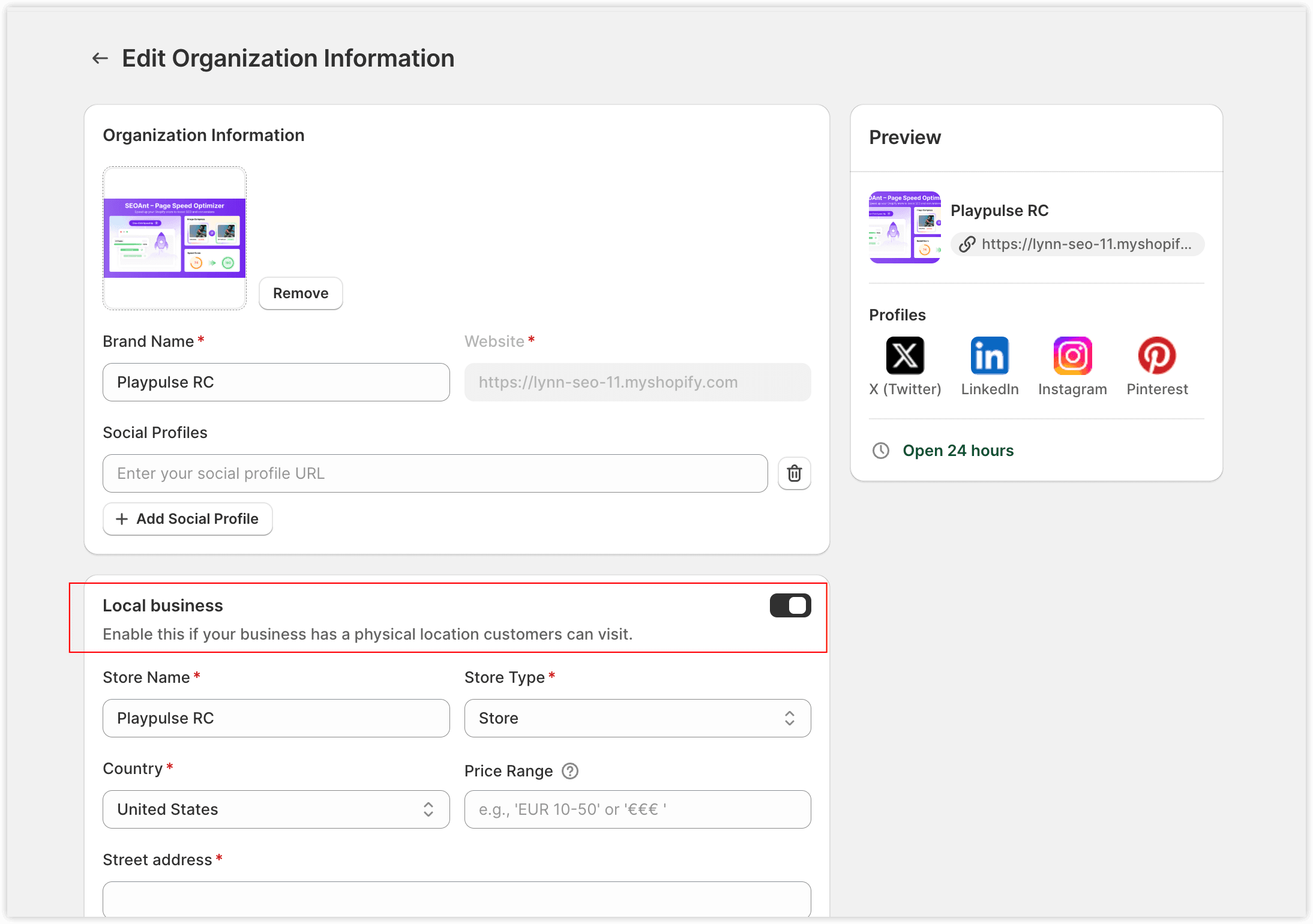
- If your store has offline locations, enable Local Business and complete Local Business data:
- Store name
- Address
- Phone number
- Opening hours
Helps search engines recognize your offline business and service area.
Click the Settings button on the product structured data card to configure:
3.4 Breadcrumb
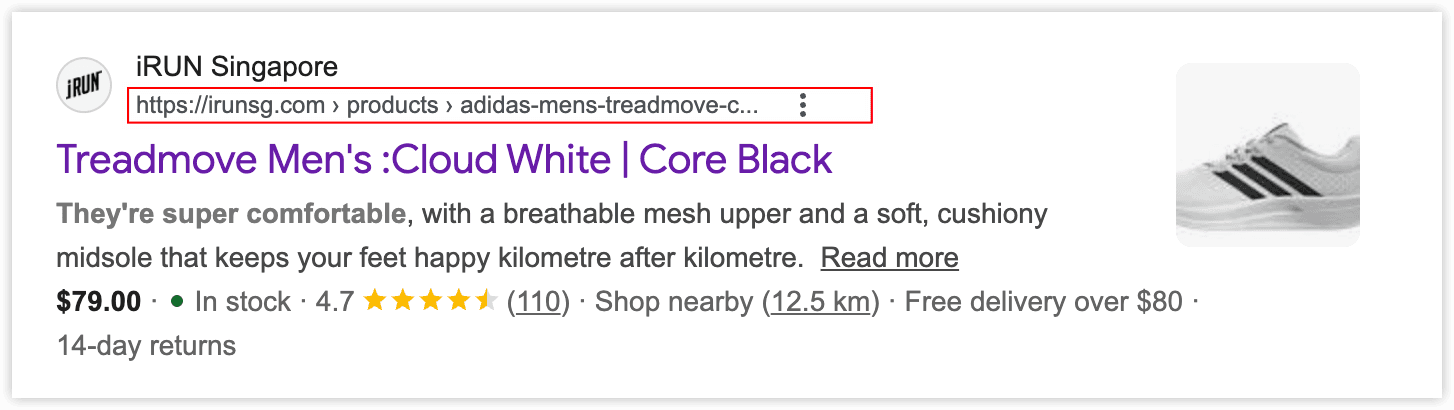
- Automatically generates Breadcrumb for all pages to show page hierarchy.
https://example.com > products > mens-treadmove-cloudwhite - Helps search engines understand site structure and improves SEO visibility.
3.5 FAQ and HowTo
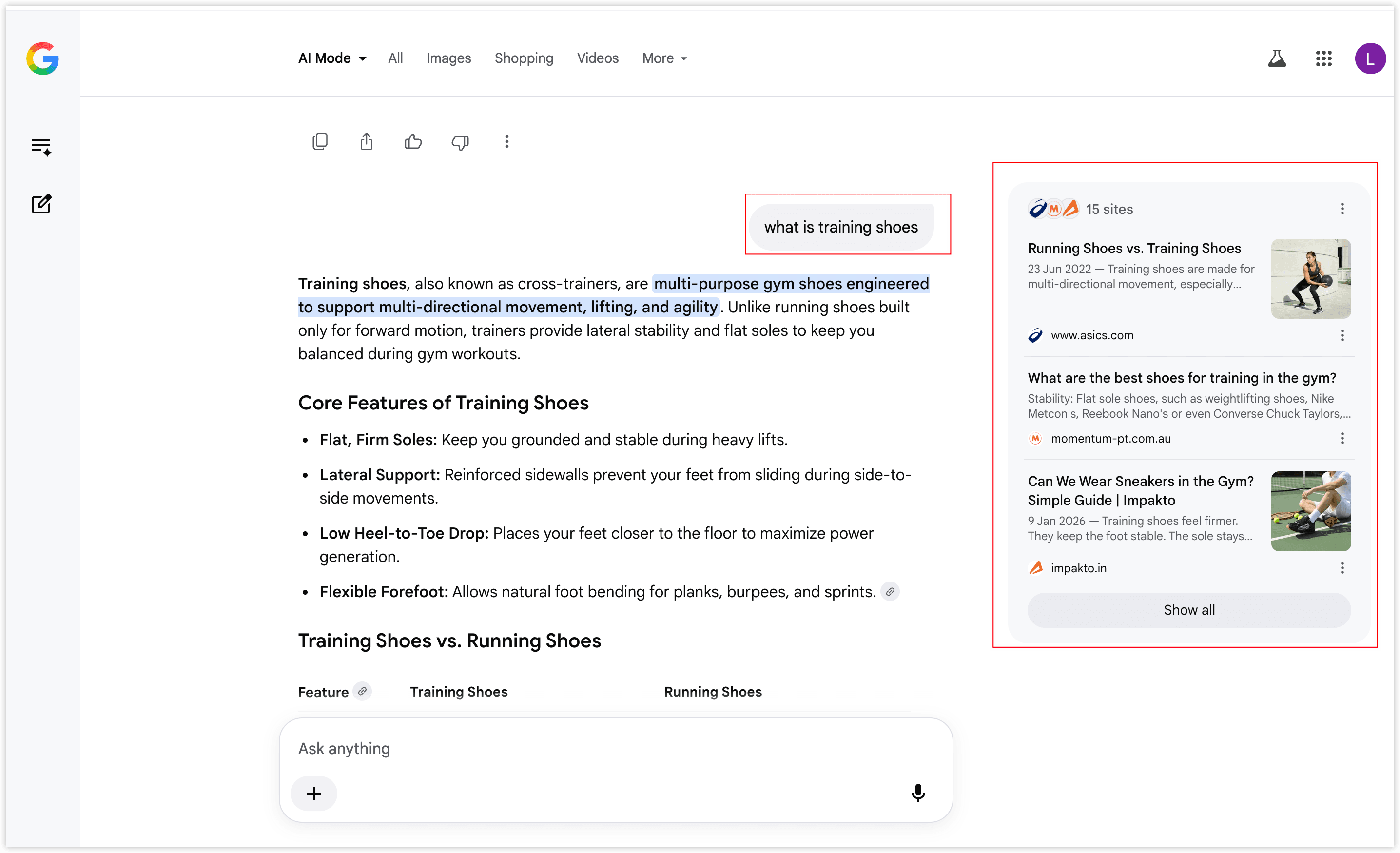
FAQ and HowTo structured data enhances AI visibility and increases the likelihood your pages are cited by AI.
Industry data: Pages with FAQ schema have a 41% citation rate, vs 15% without (Relixir, 2025).
Generation Methods
Method 1: Automatic Detection
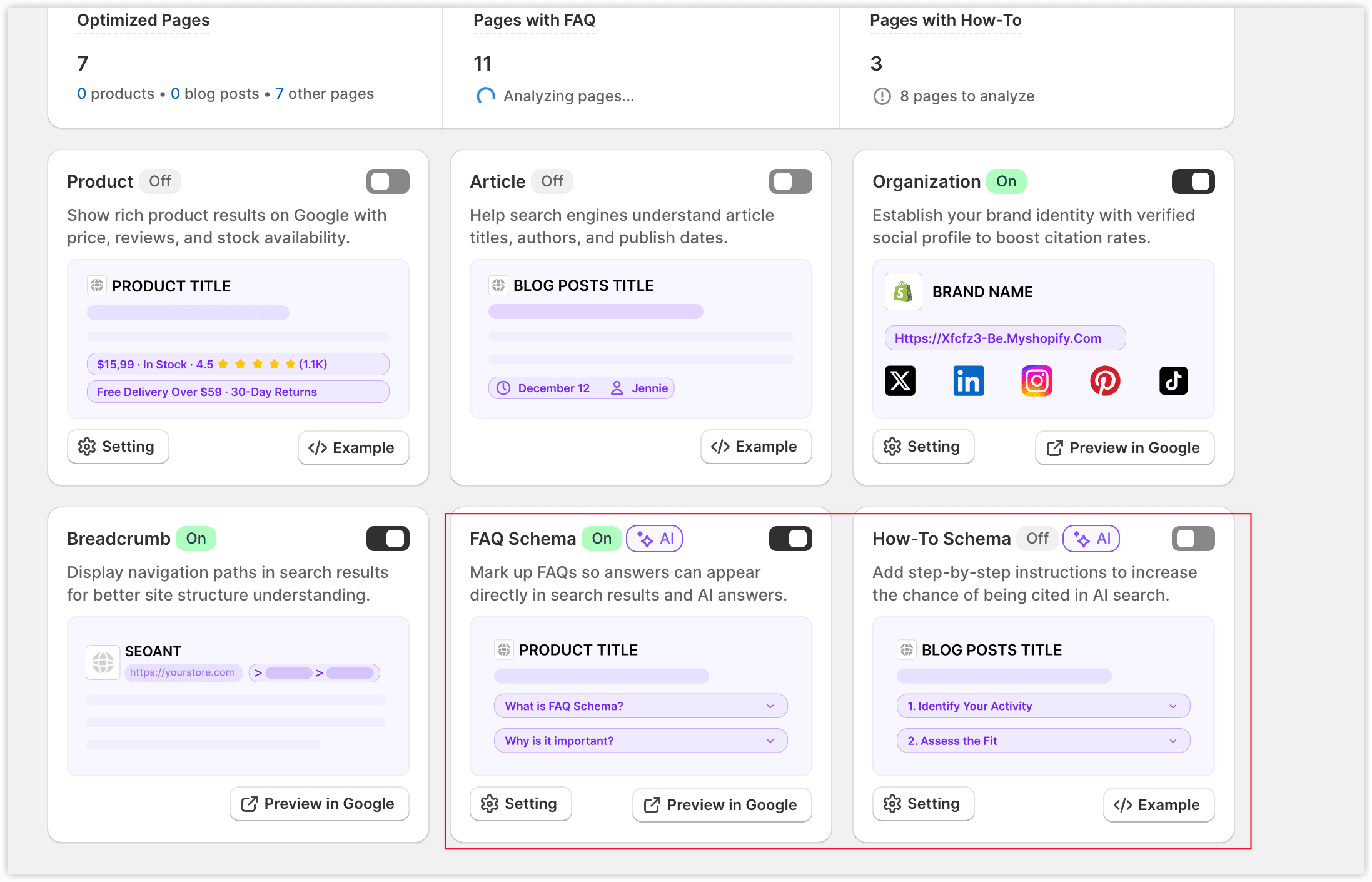
Set the page types to be automatically detected.
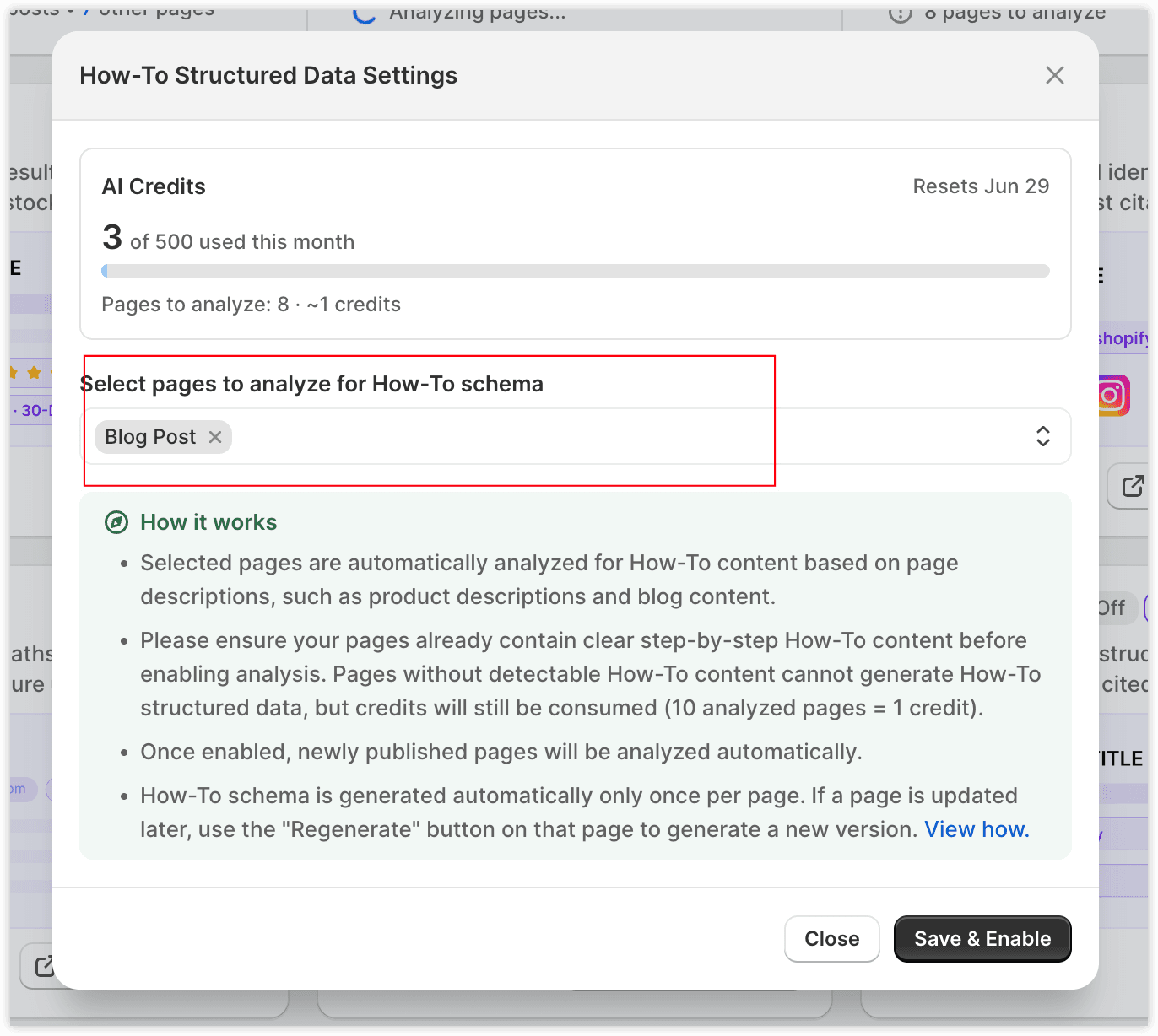
SEOWILL uses AI to analyze content and extract qualifying FAQ questions or HowTo steps.
Every 10 pages analyzed consumes 1 AI credit.
Pages must contain FAQ or HowTo content for structured data to be added.
FAQ content inserted via other plugins cannot be extracted; use the plugin’s structured data function instead.
Method 2: On-page Individual Generation
Go to the page’s On-page detail page and click to generate FAQ or HowTo.
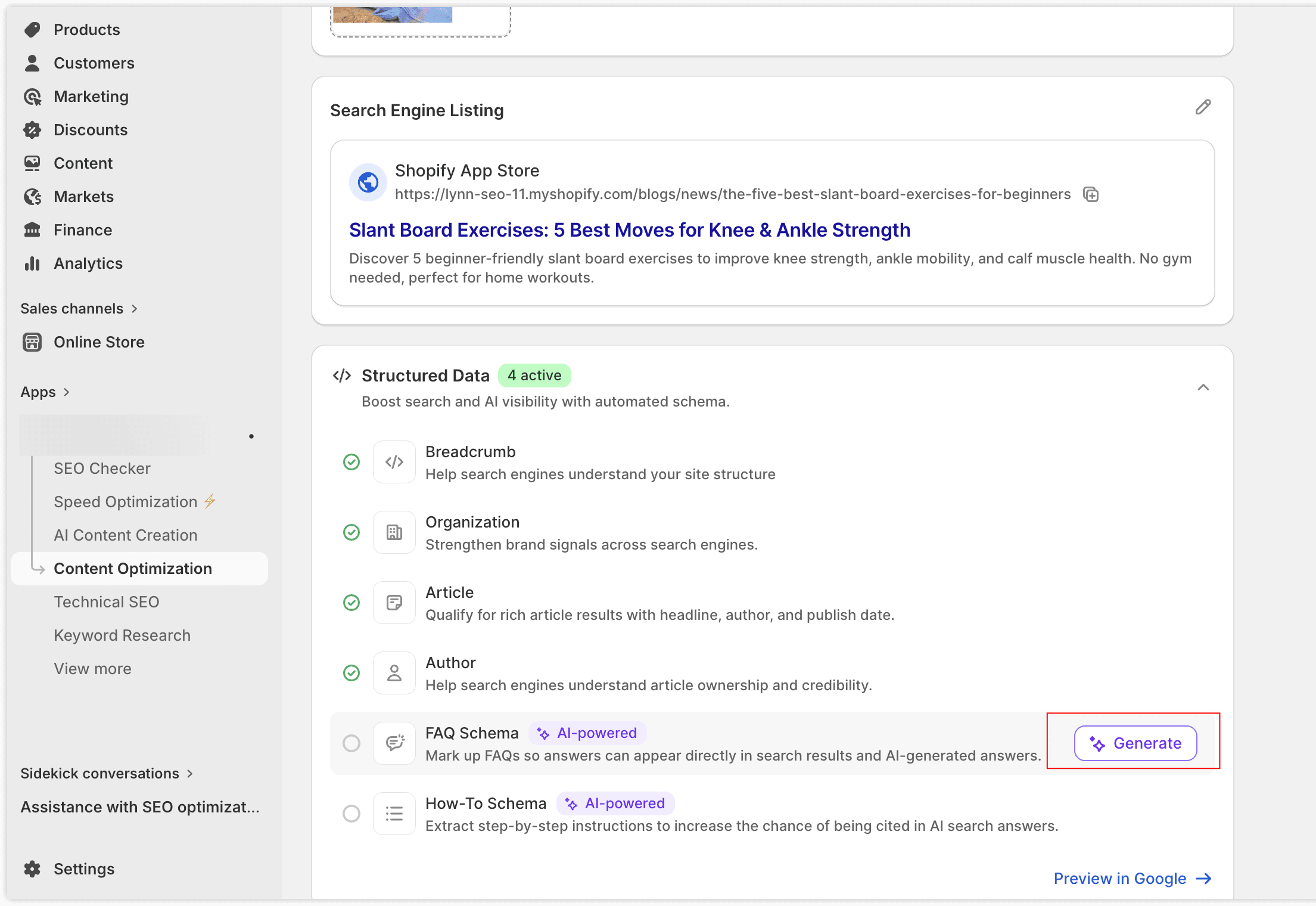
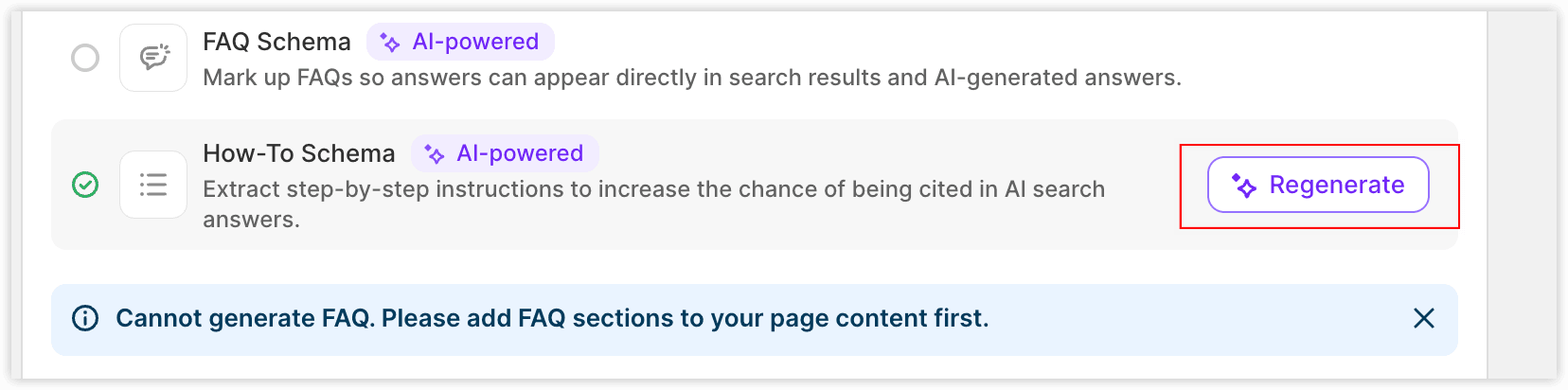
Each generation action of FAQ/How-To schema consumes 0.1 AI credit.
If content is updated, click Regenerate to refresh structured data, every re-generation action will consume 0.1 AI credit.
Newly added pages are automatically detected and analyzed.
Currently, only blog pages support individual on-page generation; support for other pages will roll out in July 2026.
4. Structured Data Dashboard
The dashboard displays overall structured data status:
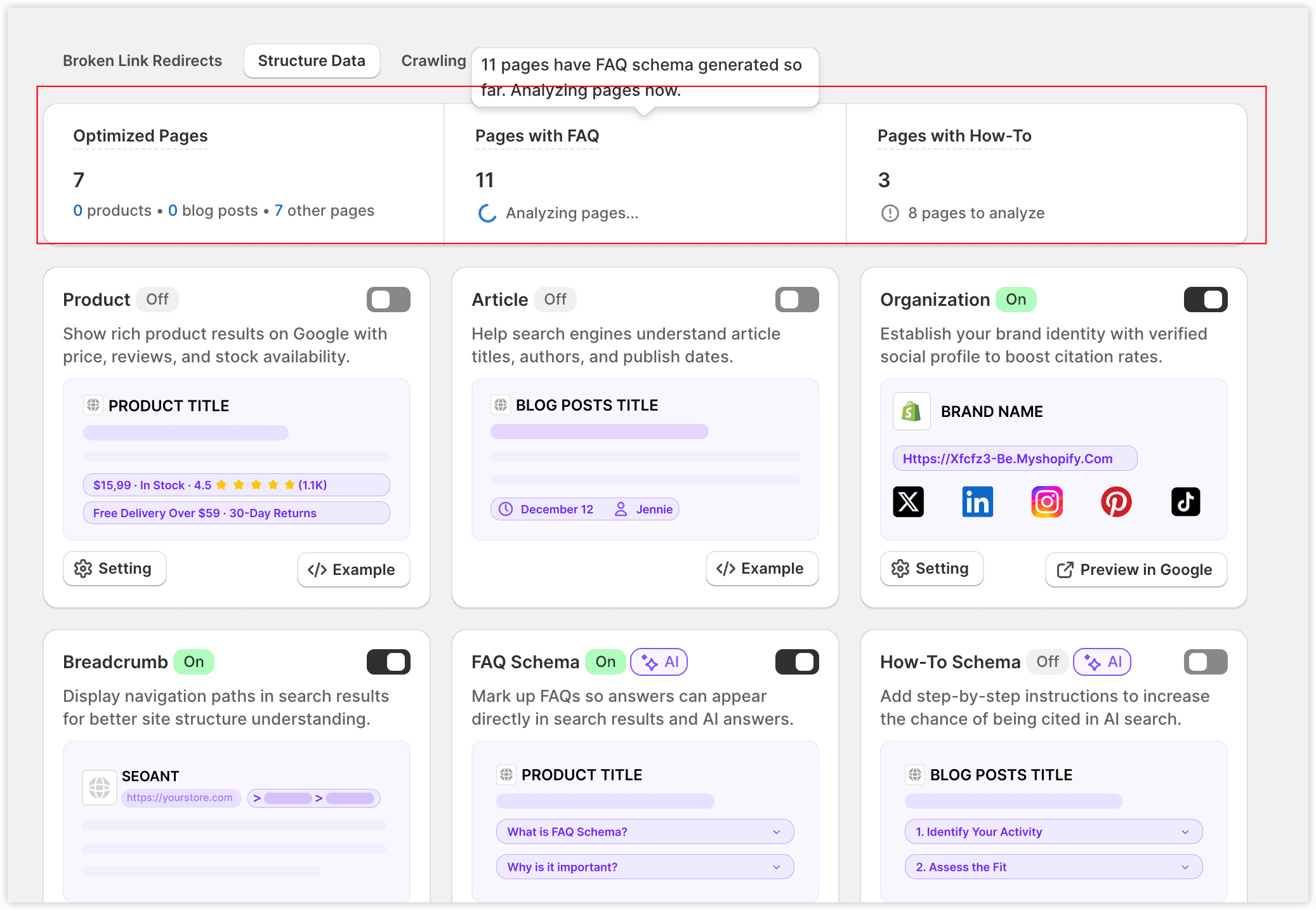
- Number of pages with structured data added
- Number of pages with successfully added FAQ structured data
- Number of pages detected for FAQ questions
Quickly see coverage and generation status.
5. Frequently Asked Questions
Q: SEOWILL detects duplicate schema, what should I do?
Please check if your Shopify theme or other apps are generating the same schema. Keep the most accurate source and disable redundant output. For theme-generated schema, please contact the theme developer.
Q: Can I manually edit the generated JSON-LD?
We apologize that this is not supported currently, if you have custom needs, feel free to contact our support team and we will check for you further.
Q: Why didn’t FAQ or HowTo generate on some pages?
This is because page has no detectable FAQ questions or HowTo steps.
Q: Why does generating FAQ or HowTo consume AI credits?
AI analysis is required to detect eligible FAQ or HowTo content. Every 10 analyzed pages consumes 1 AI credit. Even if no qualifying content is found, credits are still consumed since we need to use AI to analyze the page content as well.