
Appearance
How to Adjust the Overcharge Spending Limit?
How to Adjust the Overcharge Spending Limit?
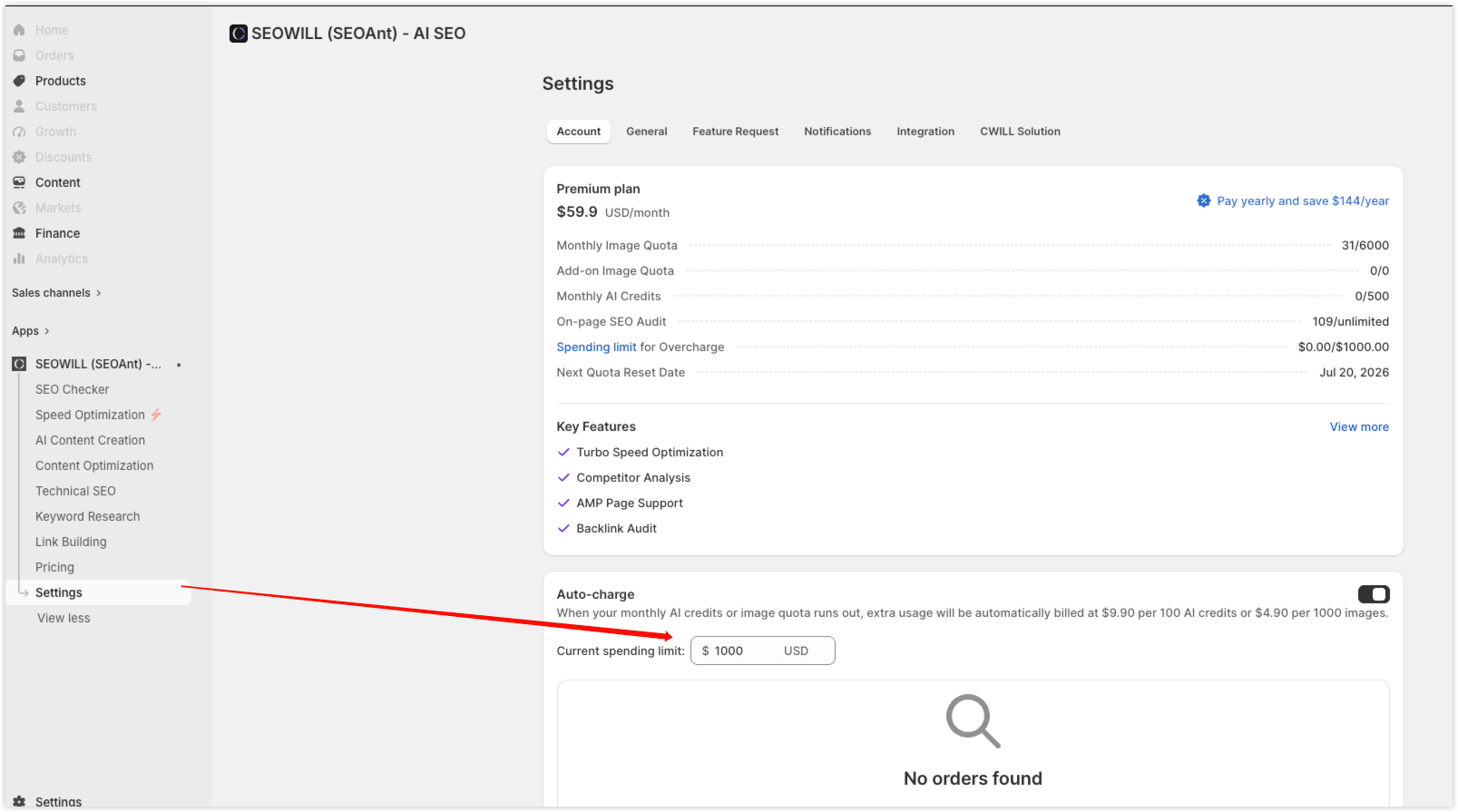
If you receive a notice that your current spending limit has been reached, you can easily adjust it by following the steps below:
- Go to SEOWILL App > Settings > Account > Auto-charge.
- Set your new spending limit according to your needs.
- Save the changes to continue using the service without interruption.
📸 Please refer to the screenshot below for guidance:
Note
Due to Shopify's limitations, you can only increase your spending limit—it cannot be lowered afterward.